
Shortcuts
A trigger plus an action. Every action a key can be bound to, and every field each one asks for.
A shortcut is a trigger and an action, plus an optional name, an optional scope, and a switch. Rows live in the Shortcuts pane — the one settings opens on — and a row is live the moment it is saved. There is no apply step and no restart.
Your first shortcut walks through adding and saving one. This page is the reference: every action, and what an empty field falls back to.
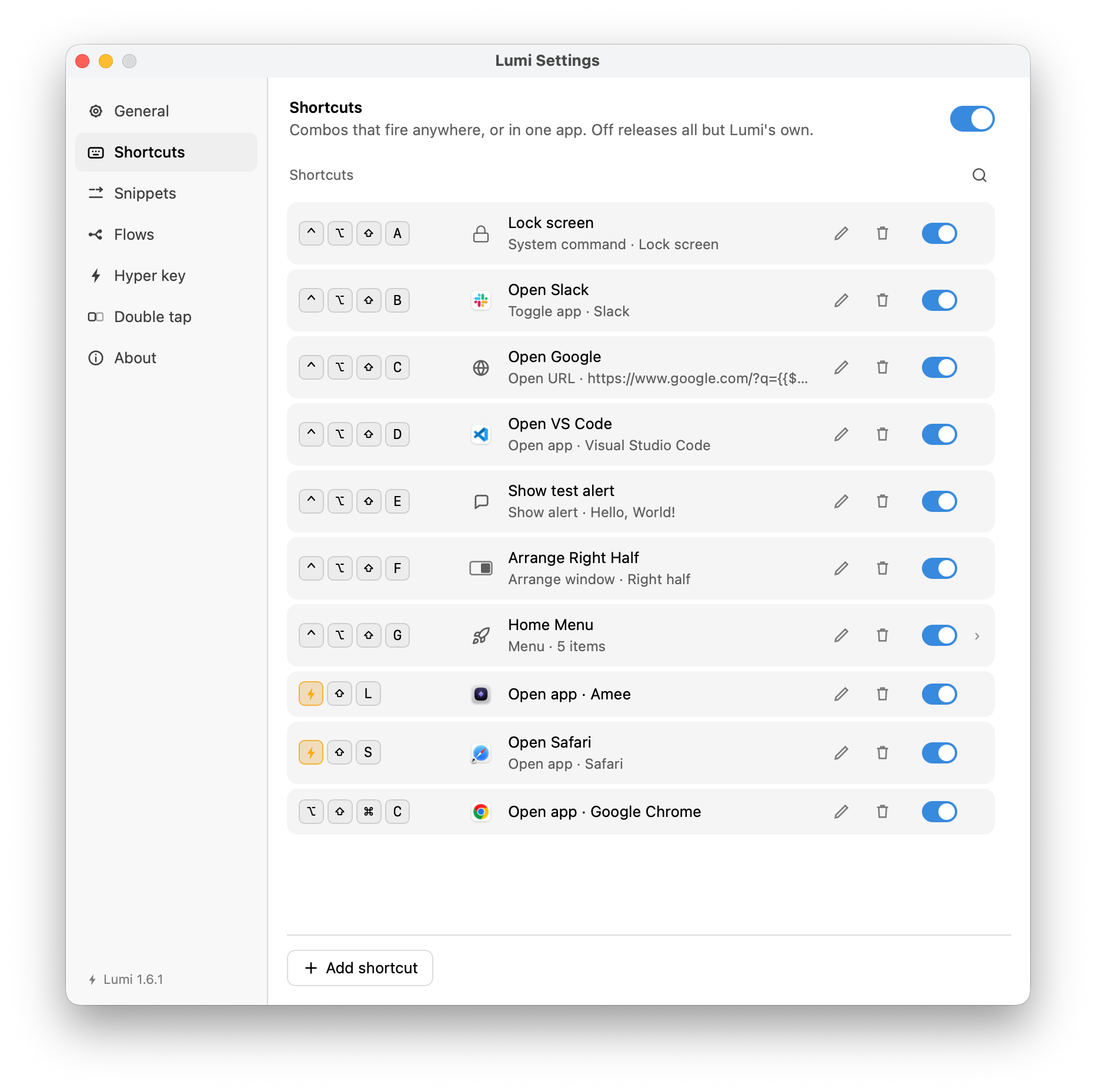
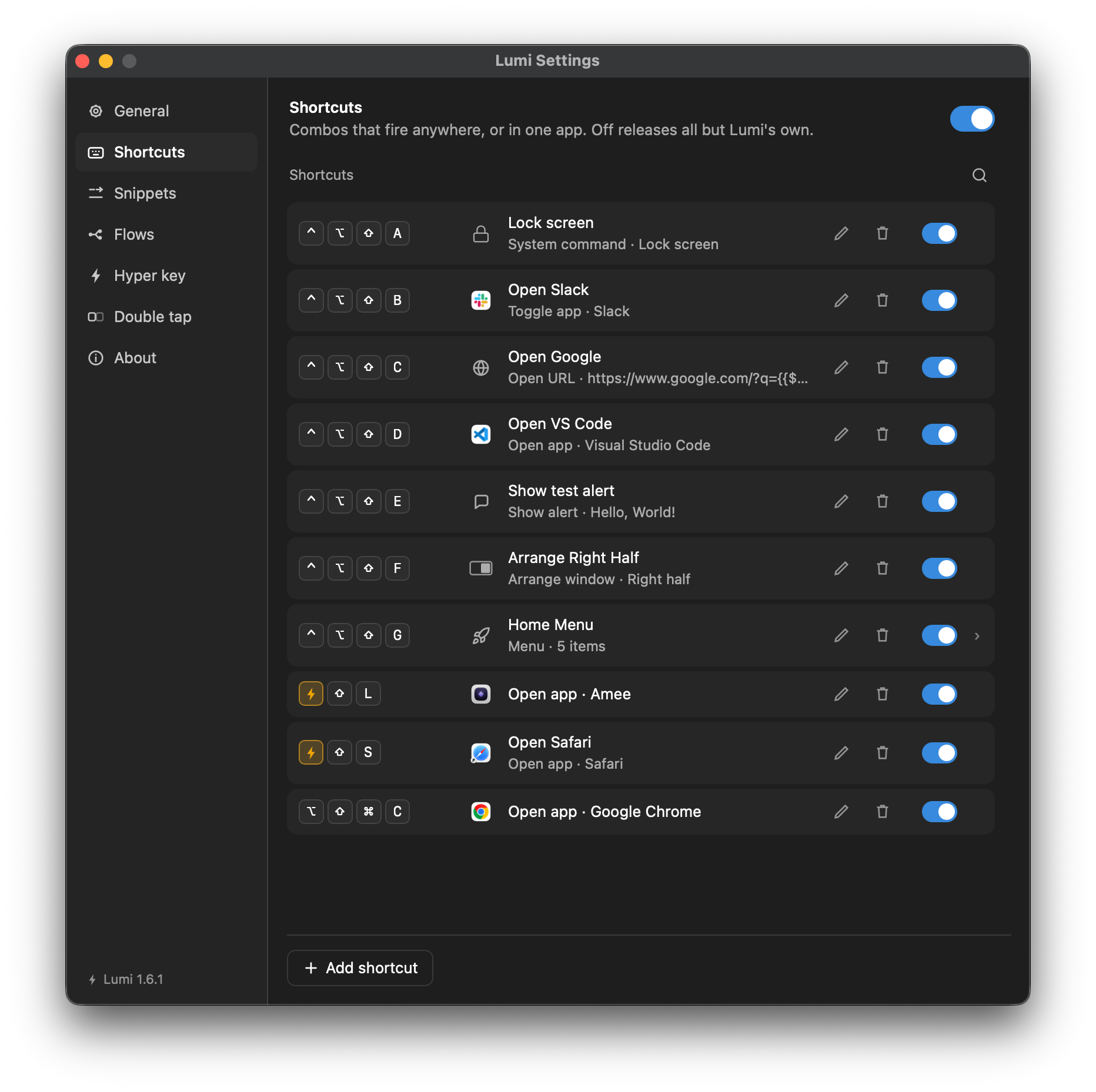
Triggers
Most shortcuts are a chord — a modifier or two and a key, recorded by clicking the trigger field and pressing it. Two other kinds of trigger are recorded the same way:
- Double tap — two taps of a lone modifier (⇧, ⌃, ⌥, ⌘, or a Fn), nothing else held. The mechanism, and how fast the two taps must be, lives in its own pane; the binding is an ordinary row here. See below.
- Fn — a combination that includes the Fn (globe) key. macOS never lets an application register one, so Lumi matches these itself on the way past. That is also why Test is greyed out for a Fn or double-tap trigger: there is no OS claim to make, so nothing another app could be holding.
A chord already taken by another row, or one macOS refuses outright, is reported the moment you press it — not held back to Save. Everything else about a half-filled row waits for Save.
The actions
The picker groups them the way the app does. Open it and type to filter.
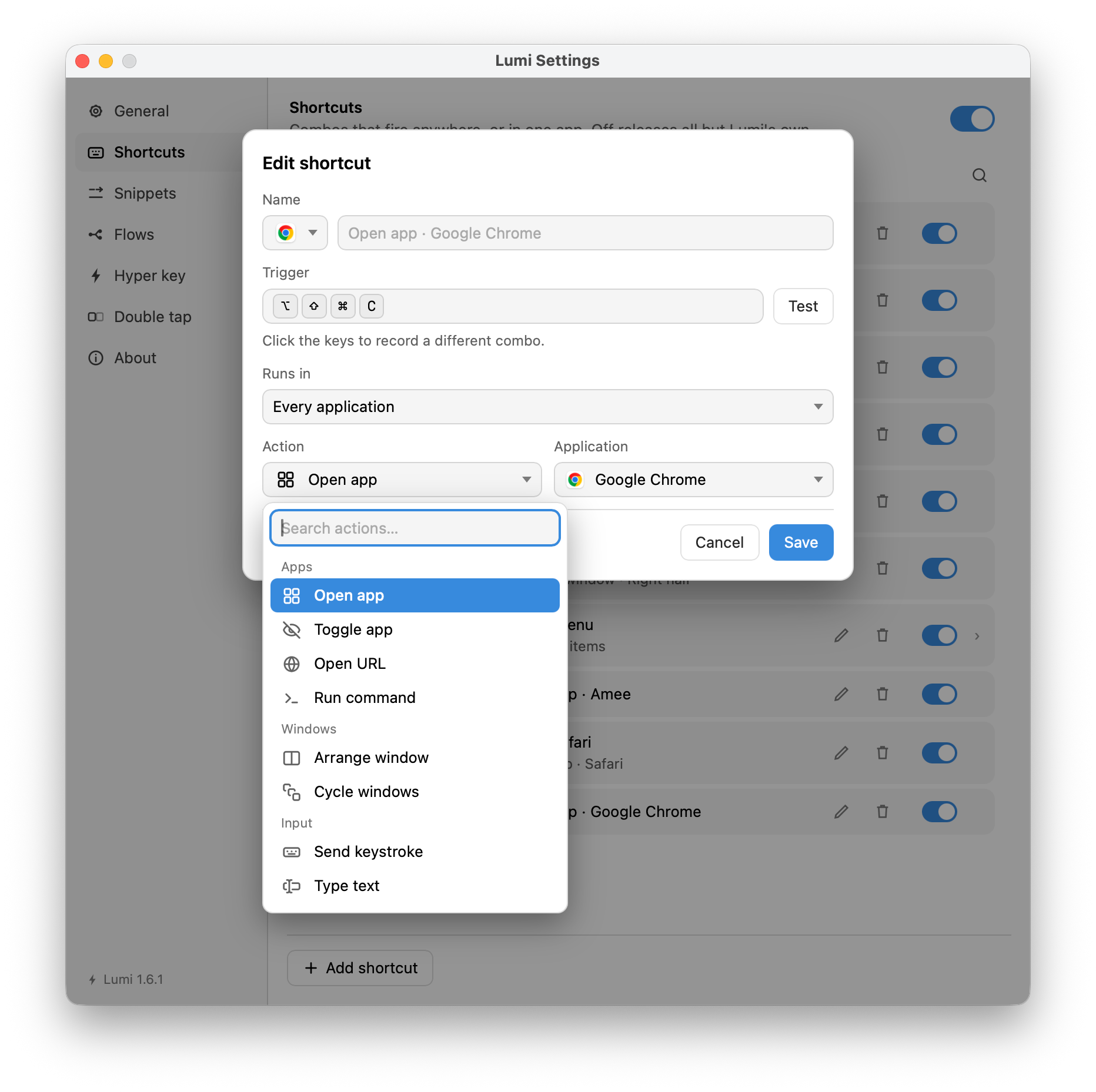
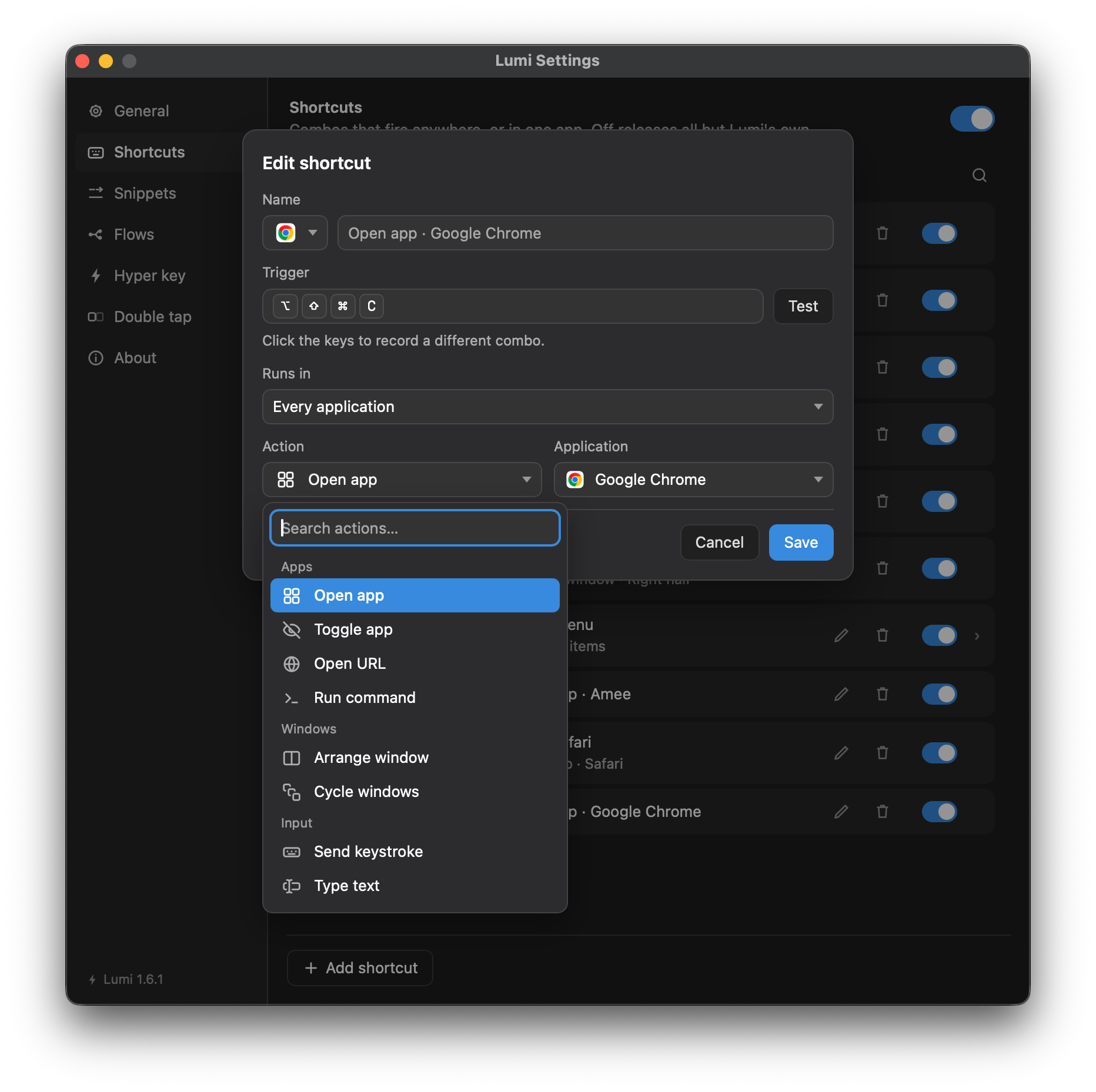
Apps
| Action | Fields | An empty field means |
|---|---|---|
| Open app | The application | — (Save asks for one) |
| Toggle app | The application; Open it if it is not running | Switch on: launch it. Off: do nothing, and say so. |
| Quit app | The application | The app in front. |
| Force quit app | The application | The app in front. |
| Open URL | The URL or x-apple.systempreferences:… link | — |
| Run command | Program path; arguments, one per line | No arguments |
Toggle app is one key for both directions: press it and the app comes
forward, press it again while you are looking at it and it hides — ⌘H, the
whole application, not the front window minimised. Coming back takes the same
three steps Open app does against something already running, so an app
hidden with ⌘H or left with its windows in the Dock arrives showing something.
That last part needs
Accessibility; without it the toggle still hides and
shows.
Quit app and Force quit app are a pair, and the difference is whether the
application gets a say. Quit is ⌘Q: it asks, so one holding unsaved work puts
its own save sheet up and you can still change your mind. Force quit does not
ask — it is the same thing Activity Monitor's Force Quit does, and anything
unsaved is gone. Use the first unless the application has stopped responding.
Both leave the field empty by default, and an empty field is not an unfinished
row: it means the app in front. That is the shortcut most people want — one key
that closes whatever you are looking at — and naming an application is the special
case, for a key that always quits the same one. The row describes itself either
way, so a list showing Force quit app · The app in front is a row that is fully
configured.
Neither needs a permission. They also refuse to act on Lumi: pressing a front-app row while Lumi's own window is in front says so and does nothing, because a shortcut cannot bring back the app that was holding it. Quit Lumi from the menu bar instead.
Run command has two fields, and they are not one command line. The program
is executed directly — there is no shell anywhere on the path — so |, >,
&&, ~, $VAR and * are ordinary characters rather than syntax, not
something that pipes, redirects or expands. This is the usual reason a line that
works in Terminal does nothing here.
Arguments is one argument per line. Nothing is split on spaces and nothing is unquoted, so a line is handed to the program exactly as it reads — spaces, quotes and all. Opening a URL in a named browser:
| Field | Value |
|---|---|
| Program | /usr/bin/open |
| Arguments | -aMicrosoft Edgehttps://example.com |
Microsoft Edge is one argument because it is one line; typing -a "Microsoft Edge" on a single line would pass one argument with two quote marks in it.
Give the program as an absolute path, since a shortcut fires from an app
launched at login and inherits a minimal PATH.
Arguments renders variables, including
{{$clipboardText}}, {{$selectedText}} and {{$frontApp}}. Each line is substituted on its
own, so a value carries whatever it likes — spaces, newlines, a ; — and still
arrives as the single argument that named it. Searching your selection in a
named browser:
| Field | Value |
|---|---|
| Program | /usr/bin/open |
| Arguments | -aMicrosoft Edgehttps://www.google.com/search?q={{$selectedText}} |
There is no percent-encoding here, unlike Open URL — an argument is a string being handed to a program, not an address. Where a program wants an encoded value, a script is the place to encode it.
Program is never substituted, and that is deliberate: a variable there would
let whatever is on the clipboard choose which binary runs. An argument holding
{{$selectedText}} needs
Accessibility, and the press says so if the grant is
missing rather than running the command with the value missing.
Anything needing a pipe, an environment variable or logic still belongs in a script file of your own, with Program pointing at it and the shell inside the script:
#!/bin/sh
exec /usr/bin/open -a "Microsoft Edge" "https://www.google.com/search?q=$1"
The command runs with your full account privileges and Lumi does not wait for it — nothing it prints is shown, and a non-zero exit is not reported.
Windows
| Action | Fields | Notes |
|---|---|---|
| Arrange window | A slot (halves, thirds, quarters, maximise, centre, restore); how to treat a window that will not fit | Moves and resizes the frontmost window on its display. |
| Toggle full screen | None | Sends the frontmost window to a Space of its own, or brings it back — ⌃⌘F on a key you choose. |
| Minimize window | None | Puts the frontmost window in the Dock — ⌘M on a key you choose. |
| Cycle windows | Direction — Next or Previous | macOS's ⌘` on a key you choose. Follows whatever is in front. |
| Switch space | Direction — Left or Right; Slide, the way macOS does | Moves to the neighbouring Space. Switch the slide off for an instant jump; either way the press still moves. |
| Show desktop | Toggle, Show the desktop or Bring windows back | Slides every window aside to show the wallpaper. The only window action that needs no Accessibility permission. |
Switch space, and what the slide switch does
Switch space is macOS's Move left a space and Move right a space on a key of your choosing — a Hyper chord, a leader step, a double tap.
With Slide, the way macOS does switched on, Lumi sends your own Mission Control shortcut, so the press behaves exactly as if you had pressed it: the desktop slides across.
Switched off, the Space changes at once with no transition. This uses a private macOS interface rather than the keyboard, so it needs nothing switched on anywhere.
Whichever you pick, the press still moves. If the slide has no shortcut to send — you turned Move left a space off in System Settings → Keyboard → Keyboard Shortcuts → Mission Control, or Lumi has no Accessibility permission — it changes the Space without sliding, and the row tells you so. If a future macOS stops allowing the instant change, Lumi sends the shortcut instead and the slide comes back. Only if both are unavailable does the key report a problem.
Show desktop, and why it has three states
Show desktop slides every window aside to show the wallpaper, and puts them back — Mission Control's Show Desktop, on a key of your choosing.
Toggle flips between the two, the way the F11 key does. Show the desktop and Bring windows back arrive at the state they name whatever is on screen when you press them, and pressing either twice does nothing the second time. Reach for those two in a flow or a leader menu, where the press that comes before is not always the one you expect.
It needs no permission at all, which makes it the only window action on this page that does not: the others reach into another application's windows, and this one asks the Dock to move them. It is also why it keeps working on a copy that has been granted nothing.
The windows are moved, not hidden. They stay in Mission Control, keep their order, and the application in front stays in front — this is not "hide all applications", which is a different thing with a different way back.
If a future macOS stops honouring the message Lumi sends, a Toggle notices
and writes a line to lumi.log; nothing is put on screen, because the commonest
reason a press moves nothing is a second press landing on top of the first.
Maximise and full screen are not the same thing
They sound identical and they do different things, which is worth getting straight before binding either.
Maximise is an Arrange window slot. It resizes the window to fill the work area — the screen minus the menu bar, the Dock and the notch — and leaves it in the Space it was already in. Everything stays visible and the window is still an ordinary window, so every other Arrange slot still works on it.
Toggle full screen is macOS full screen. The window gets a Space of its own, the menu bar and the Dock hide, and the transition is a one-second system animation. While a window is there, Arrange window and Minimize window both refuse it and say so — leaving full screen first is the point of this action existing, and their refusal now names it.
Bind Maximise if you want a big window. Bind Toggle full screen if you want the rest of the screen to go away.
Toggle full screen and Minimize window are the two actions with nothing to fill in. There is one window it can mean — the one in front, the same one Arrange window acts on — and it goes one way. The way back is Open app or Toggle app: both take a window out of the Dock as they bring the application forward.
It is a window action, not an application one, and the distinction is worth holding on to: ⌘M puts one window in the Dock, while Toggle app's ⌘H hides every window the application has. Minimising the front window of an app with three open leaves the other two on screen and the app still in front, which is usually not what people mean by "put this away".
Both need Accessibility — the only way into another application's window is through that API. Lumi's own windows are the exception and need nothing, since it can minimise and full-screen those directly; the Settings window refuses full screen because it is a fixed-size form and says so. A full-screen window cannot be minimised, and macOS is the one refusing that, not Lumi.
Next and Previous are exact inverses: three of each and you are back where you started. Minimised windows and non-standard windows (sheets, palettes) are skipped. With one window or none, nothing happens and nothing is said — but the press is refused, out loud, without Accessibility.
Input
| Action | Fields | An empty field means |
|---|---|---|
| Send keystroke | The combination to synthesise | — |
| Type text | The text; may hold variables | — |
| Copy to clipboard | The text, which may hold variables; Say “Copied” when it fires | — (Save asks for text). Switch on: the panel is shown. |
| Copy text on screen | Read from Area, Window, Front window or Display | Area |
| Transform selection | Which transform; the script, for JavaScript… | UPPERCASE |
| Media control | Play/pause, next, previous, volume up, volume down, mute | Play/pause |
| Caps Lock | Toggle, Turn on or Turn off | Toggle |
Caps Lock turns capitals on, off, or the other way from wherever they are. It exists for the Hyper key: remapping Caps Lock to Hyper takes the physical key away, so this is how you get capitals back on a key of your choosing. It is also the one action in Lumi that needs no Accessibility permission — it drives the keyboard's lock state directly rather than synthesising a key press, which is why a synthesised Caps Lock would not have worked.
Send keystroke presses a combination into the front app — a menu item with
no shortcut of its own, an editor command. Click the field and press the keys,
the way the trigger above it is set; Type switches to writing the
combination out, which is how you give one macOS or another app holds — ⌘Space,
⌘⇥ and the like never reach Lumi's window to be recorded. A single key with no
modifiers is allowed here, unlike a trigger: Escape and F5 are combinations
to send. Fn is not — Lumi matches that one itself rather than handing it to the
system, so there is no event to synthesise for it.
Type text inserts a string at the caret; because it renders variables,
{{$date}} or {{$selectedText}} in the text is filled in fresh each press.
Transform selection reads what you have selected, changes it, and puts the result back in its place — twenty-three built-ins under three headings, plus your own JavaScript.
| Heading | What is in it |
|---|---|
| Case | UPPERCASE, lowercase, Title Case, Sentence case, camelCase, snake_case, kebab-case |
| Lines | Sort, sort descending, reverse, remove duplicates, trim each, remove blank, join |
| Encode | URL and Base64 both ways, pretty-print and minify JSON, escape and unescape HTML, slugify |
| Custom | JavaScript… — text holds the selection, app the application in front; return a string |
Three things are worth knowing about it.
It needs Accessibility, all of it — reading the selection and writing it back are both things only a trusted app may do, so the action is greyed out in the picker without the grant.
It never replaces text it cannot account for. The selection is read, the transform runs, and the result is written back only if the selection still holds exactly what was read. Click somewhere else mid-transform and the press says so and changes nothing. Where the app exposes no writable selection — most of Chrome, Slack, VS Code — the result is typed in, or pasted for a long one, and your clipboard is put back afterwards. Where the app says the text cannot be edited at all — a web page, a terminal's scrollback — the press says so and nothing is typed: there a keystroke would be one of the page's own shortcuts, or a word at a shell prompt.
A transform that cannot make sense of what you gave it — Pretty-print JSON on something that is not JSON, Base64 decode on something that is not base64 — says so and leaves the selection alone.
Case-changing reads the case already there, so helloWorld → snake_case is
hello_world rather than helloworld. One wrinkle: pretty-printing JSON
returns object keys in alphabetical order.
Copy text on screen reads the text in part of your screen and puts it on the clipboard: drag out an area, click a window, or take the window in front or the whole display. It works on anything drawn — a picture, a video, an app that will not let you select — and it needs the Screen Recording permission, which Lumi asks for the first time you use it. The text is copied, never typed: a letter can come out wrong, most often the horn on ơ and ư, so look before you send it.
Copy to clipboard puts text on the clipboard instead, ready to paste. Text
only — the field is one box, where the flow editor's Write clipboard node
offers five formats, each needing something a key press has not got. It renders
variables too, and {{$selectedText}} is most of the point: a copy that never
sends ⌘C, so it reaches a field that swallows the
combination.
It replaces what was on the clipboard and nothing puts the old value back — the sheet says so under the field, because a shortcut is a key you can press by accident. A press then says Copied, a small panel along the bottom edge for a moment. That is the only action on this page that says anything of its own when it works, and the reason is that a copy is invisible: nothing changes on screen until you paste, so a press that landed and a press that never registered look alike. The value itself is never drawn — a one-time code copied out of a field is not something to paint across the screen to confirm a key press. Say “Copied” when it fires turns the panel off for a shortcut you press often enough that it is in the way.
Cursor
| Action | Fields | An empty field means |
|---|---|---|
| Move cursor | Target (a display, the pointer's display, the frontmost window); how it lands (centre, keep relative spot) | The pointer's display, centred |
| Cursor effect | Ripple, spotlight or halo; size; colour; duration; for a spotlight, whether it is a flash or a held toggle | A medium red ripple |
System
| Action | Fields | An empty field means |
|---|---|---|
| System command | One of eleven — see below | Lock screen |
| Open System Settings | One of thirty-nine panes, with a search box | Displays |
System command covers lock screen, start screen saver, switch user, sleep, turn display off, and log out / restart / shut down. The last three come in a pair each — one hands the request to macOS and lets it put up its own confirmation sheet, the other fires at once — and those three also need the separate Automation permission. Pick the asking one unless you have a reason not to.
Open System Settings stores the pane by a name of Lumi's own (displays,
sound), not Apple's identifier, so a shortcut saved today survives the next
time Apple renames them. A pane not on the list is still reachable through
Open URL with its x-apple.systempreferences:… link.
Lumi
| Action | Fields | Notes |
|---|---|---|
| Show alert | The text; optionally a style overriding the global one | Text may hold variables. |
| Run flow | The flow | Offered only for a flow with a Manual trigger — see Flows. |
| Open menu | The menu (created empty); an optional timeout override | A leader menu. Steps are added by looking inside the row. |
| Switch profile | The profile to go to | Works on a free copy while the book holds two profiles or fewer; over that it is refused and the row says so — see Pro. It names one profile, so it belongs to the profile it was written in — Next profile and Previous profile in General → Commands are the pair that work from everywhere. |
Naming a row
A row you do not name describes itself from what it does — Toggle app · Calculator, Open menu · 4 steps. Type a name to override that. The picker to
the left of the field sets the row's icon; left alone it follows the action, and
on a leader menu step it is what the cheatsheet draws
beside the key.
The picker holds three families. Icons is a line-drawing set, Emoji is a grid plus a field taking anything the macOS palette (⌃⌘Space) can produce, and Web takes an address and uses the picture behind it.
Paste either kind of address into Web — Lumi decides from what comes back. A
page such as https://linear.app gives that site's own icon; an address that
is itself an image gives the image.
Use takes the address straight away and closes; the picture is fetched behind it, and the row turns a spinner until it lands. If nothing is there, Lumi says so — the row keeps the mark its action implies rather than going blank without explanation. Pressing Use on the same address again tries it afresh.
Local addresses are never fetched — a shortcut to http://localhost:3000 gets
no picture, by rule rather than by setting. Everything Web keeps is listed under
General → Advanced → Site icons and names, and Clear cached data forgets
it; a row falls back to the mark its action implies and the picture returns the
next time it is needed.
The Name field takes seven variables and no others: the
three that read the machine — {{$clipboardText}}, {{$selectedText}} and
{{$frontApp}} — and the four that read the clock: {{$timestamp}},
{{$isoTimestamp}}, {{$date}} and {{$time}}. Type {{ in the field and it
completes them.
On a leader menu step, Paste: {{$clipboardText}}
shows what a key is about to paste, on the cheatsheet, before you press it, and
Quit {{$frontApp}} names the app it is about to act on. A row named
{{$time("%H:%M:%S")}} is a clock, and it ticks — the panel redraws it every
second for as long as the menu is open, so what you are looking at is never more
than a second old.
The Shortcuts list itself shows the name as written — a title that changed with your clipboard, or counted seconds in the list you edit it from, is a row you could not find again.
Scope
Where it works says where a shortcut fires. A row with no applications named runs everywhere, and that is what a shortcut with nothing said about it is — the field says so and there is nothing else to set.
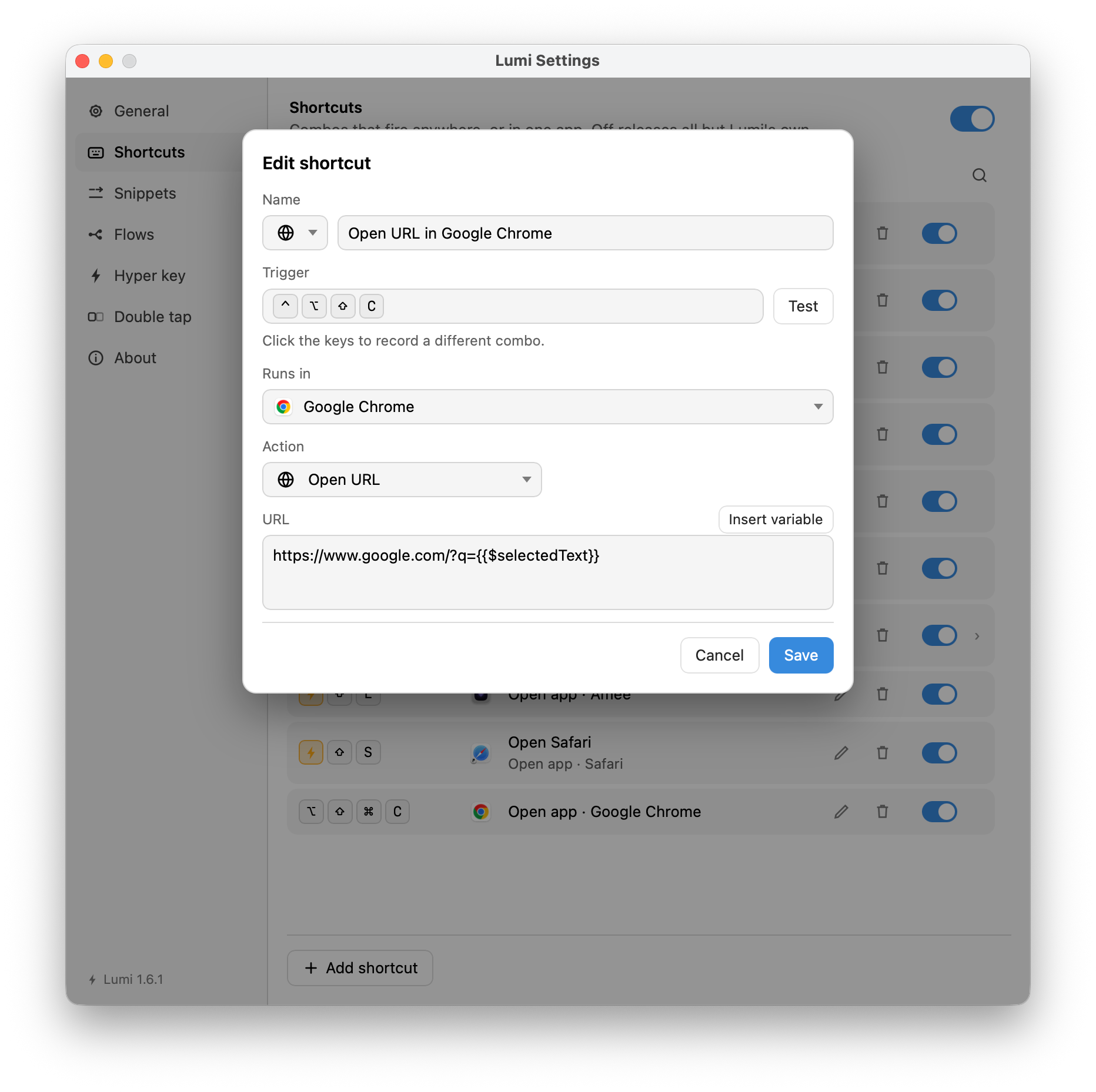
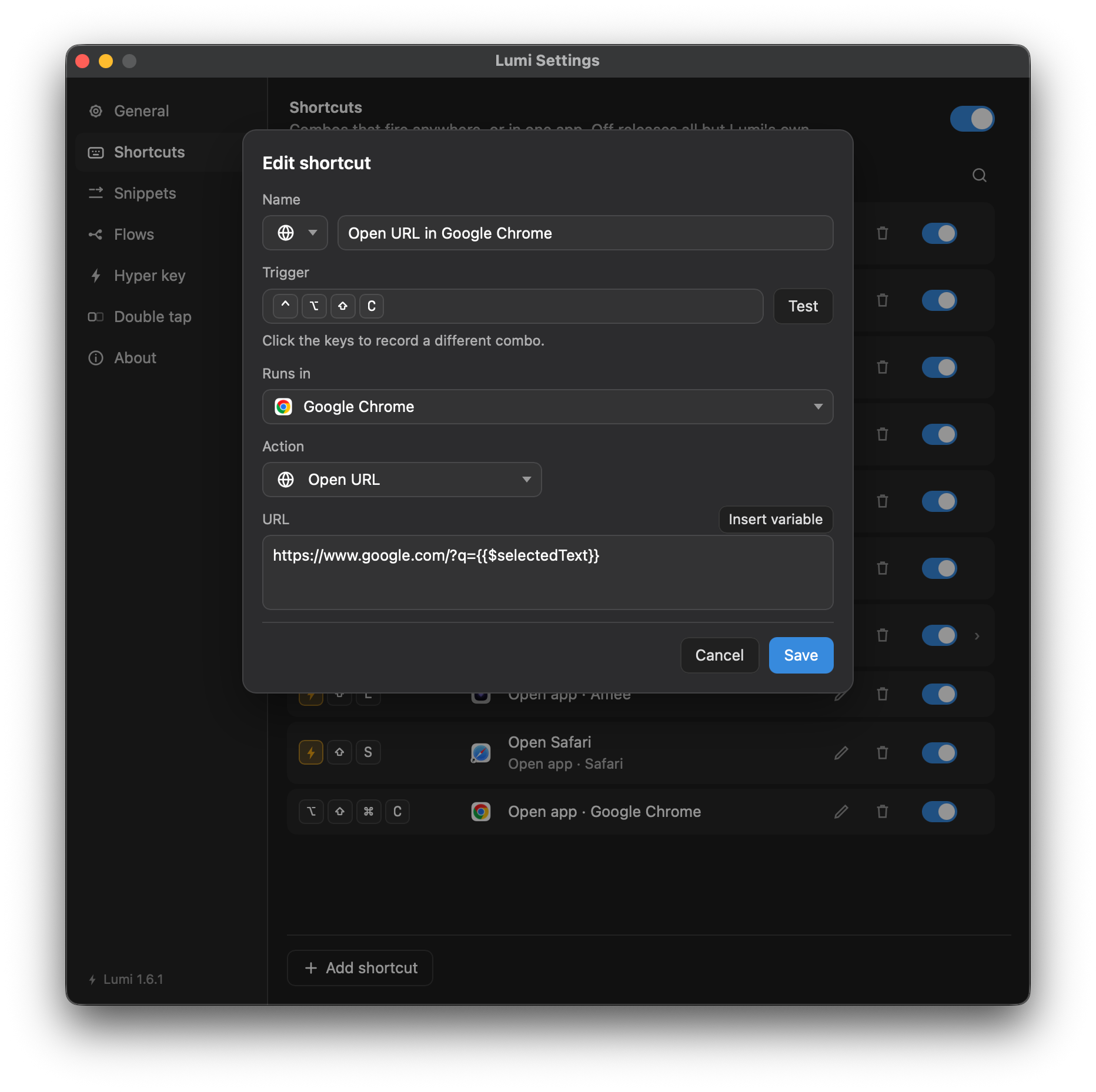
Name an application and an Only in / Except in pill appears beside the label. The first one you name lands on Only in; one click is the other way round.
Two rows may share a combination exactly when no application answers both. Two "only in" rows with nothing in common are fine, and so is the pairing worth having: one row only in Terminal and another except in Terminal, on one combination, meaning two different things. Two "except in" rows always collide — there is always an application neither list names, including the next one you install.
Taking every application off puts the row back to running everywhere, and the pill goes with the list it was about. Click each ✕, or put the caret in the field and press ⌫ — an empty field takes the last one back.
Scope is not offered on a leader menu step: a menu freezes the front application when it opens, so a step scoped differently would either do nothing or contradict the cheatsheet it sits on.
Finding a row
The pane draws one tier at a time — the top level, or the inside of one menu — which is right for editing and useless for looking: a step four tiers down cannot be found by anybody who has forgotten which menu it is in.
The magnifier beside the breadcrumb is the other view. It searches every tier at once, and a result says which menu it is in; clicking one goes there and flashes the row.
Every word you type has to appear somewhere in the row — its name, its trigger,
its action, the application it opens or is pinned to, and the names of the menus
above it. So windows left finds a step called Left half inside a menu called
Windows, which no single substring is in. It is plain substring matching and
not fuzzy: a list of shortcuts is a list you are about to press, so a search
that answers left to letter is worse than one that answers nothing.
Three filters
A word with a colon in it narrows by a field rather than by the text:
| Typed | Finds |
|---|---|
app:safari | Every row that opens Safari or is scoped to it |
action:menu | Every row whose action is Open menu — a whole group, which free text cannot ask for |
key:⌘⌥N | The rows on that combination |
Type the colon and a menu offers the values that exist, each with how many rows
it would leave. They match by prefix: app:saf hits, app:ari does not — a
filter billed as the precise one must not be looser than the free text beside
it.
A word with a colon that is not one of those three is plain text, so a trigger
like ;sig or a URL you are searching for is left alone.
Finding one by pressing it
The keyboard button beside the box records a combination and fills in the
key: filter for you — Find by pressing a combination.
Lumi lets go of its own global shortcuts while that is up, so pressing a combination that is assigned finds the row instead of firing it. That is the whole point of the button: the case where you know the keys and not the row.
Escape answers in three stages — first it closes the value menu, then it clears what you typed, then it puts the box away.
Moving and copying a row
Right-click a row for its commands:
| Run now / Open menu | Fires the action from here, without pressing the combination |
| Edit… | The same sheet the pencil opens, and the same one a double-click on an ordinary row opens |
| Duplicate | A copy beside it, opened for editing. On a menu row it reads Duplicate menu and contents and takes every step under it |
| Move to… | The whole menu tree at once — the top level, or any tier — with a line saying what the move does to the row's trigger |
| Delete | Asks first where a menu holds rows the list is not showing |
Move to… shows the tree whole rather than one tier at a time, because the question is usually a comparison between two menus in different parts of it. It says what will happen to the trigger, and that is not decoration: a move is the one edit that can invalidate a trigger it never touched, since a combination cannot be a step and a bare key cannot be claimed globally.
It is also the repair for a stranded step. Rows under No way in keep Move and lose the rest — pointing one at a menu that can be reached is the only fix, and it was the one thing that list could not do.
Order is changed by dragging a row's grip, or by focusing the grip and using the arrow keys. In a leader menu the order of the rows is the order the cheatsheet prints them.
Double tap and Fn
Two taps of a modifier is a trigger like any chord, bound here in the Shortcuts pane. The Double tap pane owns the mechanism: whether it runs at all, and the timing — how long the first tap may be held and how quickly the second must follow — shared across keys or calibrated per key.
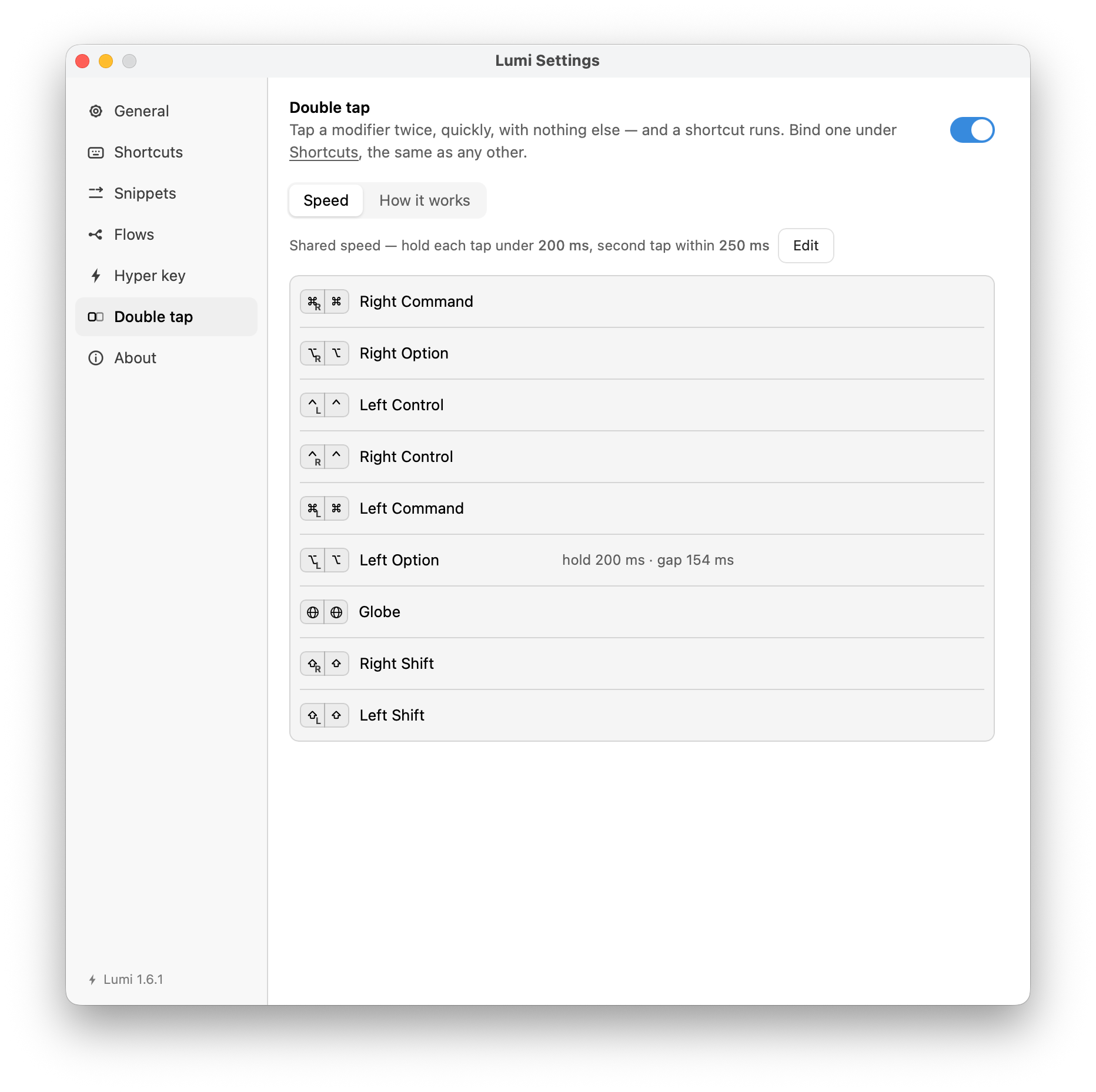
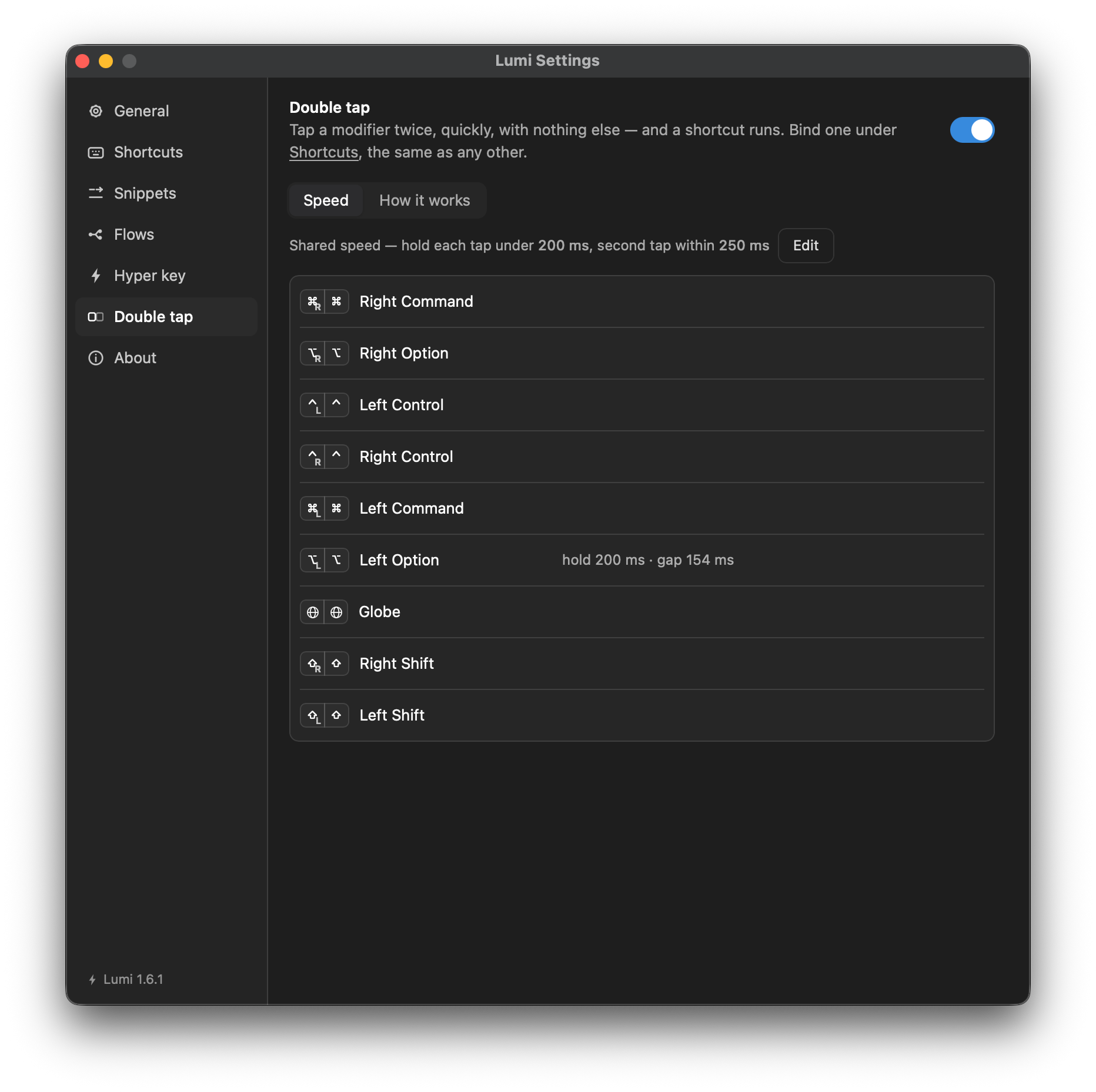
A modifier cannot be swallowed without macOS believing it is stuck down, so an application with a double-modifier trick of its own fires alongside yours.
Fn combinations need no pane — the Fn+ in the trigger is the whole of it.
Three rules the editor plays by
Covered in full under Your first shortcut:
- Save is when a form is checked. The button is always enabled; press it with something missing and the error appears under the offending field.
- A row that fails says so twice — an alert for two seconds, and the reason pinned to the row.
- Disabled is not deleted. A row that is off claims nothing; the combination is free for something else, and turning it back on re-registers it.